How to Create a Relaxing Home Workspace for Better Focus
Creating a relaxing home workspace is essential for maintaining focus and reducing stress, especially when you spend long hours working from home. A well-designed area that promotes calmness can improve your productivity and overall well-being. In this post, we’ll guide you through practical steps to transform any corner of your home into a peaceful and efficient workspace.
Why a Relaxing Workspace Matters
Your work environment influences your mood, energy levels, and efficiency. A cluttered or uncomfortable space can lead to distractions and anxiety. In contrast, a relaxing workspace helps you feel grounded, making it easier to concentrate and complete tasks with less fatigue.
Choosing the Right Location
Consider Natural Light
A spot near a window is ideal as natural light improves mood and reduces eye strain. If natural light is limited, invest in good-quality daylight bulbs to replicate a natural feel.
Minimise Noise and Distractions
Select a quiet area where interruptions are minimal. If this is not possible, noise-cancelling headphones or soundproofing solutions can help create a calm atmosphere.
Furniture and Layout
Opt for Ergonomic Furniture
Choose a comfortable chair that supports your back and a desk at an appropriate height. Good posture prevents tiredness and physical discomfort.
Keep It Simple and Functional
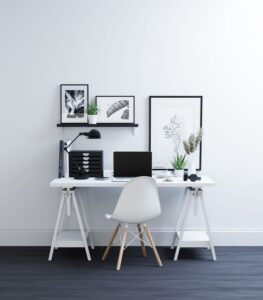
Avoid crowding your workspace with unnecessary items. A clean, uncluttered desk encourages mental clarity.
Personalise with Care
Add personal touches like a favourite photo or a small plant, but avoid overdecorating to keep the area peaceful.
Organising Your Space
Declutter Regularly
Remove items that you don’t use daily. Use drawers, shelves, or organisers to keep supplies tidy and easy to find.
Use Storage Solutions
Labelled boxes or filing systems help maintain order and save time searching for documents.
Lighting and Colour
Use Soft, Adjustable Lighting
Having a desk lamp with adjustable brightness allows you to control the light intensity based on the time of day and your tasks.
Choose Relaxing Colours
Calming colours like soft blues, greens, or neutrals create a soothing environment. Avoid harsh or overly bright shades that may cause strain.
Adding Greenery and Natural Elements
Plants not only improve air quality but also bring a sense of calm. Easy-to-care-for plants like succulents, spider plants, or peace lilies work well in home offices.
Incorporating Relaxation Techniques
Take Regular Breaks
Set a timer to remind yourself to step away from your desk at intervals. Short breaks help refresh your mind.
Create a Meditation or Stretching Corner
If space allows, have an area where you can do light stretches or practice breathing exercises to reduce tension.
Technology Tips
Manage Cables Neatly
Use cable organisers to keep wires out of sight, reducing visual clutter.
Utilise Productivity Tools
Apps for task management and focus (like timers or distraction blockers) can enhance your workflow without adding stress.
Final Thoughts
Building a relaxing home workspace doesn’t require a full renovation. Small, thoughtful changes can make a big difference in how you feel and perform during your workday. Prioritise comfort, organisation, and calmness to create an environment where you can thrive.
By following these tips, you’ll enjoy a workspace that supports both your professional goals and your well-being. Start today and watch how a peaceful space transforms your work-from-home experience.